The Situation You're Already In
You have a brand. Maybe a real one (locked colors, locked type, a wordmark you don't let anyone touch) or maybe a working one (a Notion page that says "we use blue, but not THAT blue"). Either way, the brand lives in pieces. The colors are in Figma. The voice rules are in a Google Doc. The components are in code. The PDF style guide is six months out of date and hosted on Dropbox.
Now you want AI to design for you. Or at least to draft. So you copy your colors into the prompt. Copy your voice rules into the prompt. Try to describe what your wordmark looks like in words. Generate something. It's wrong on type. You explain type. It's wrong on tone. You re-explain.
That copying is the bottleneck. Google just released a way to skip it.
What DESIGN.md Actually Is
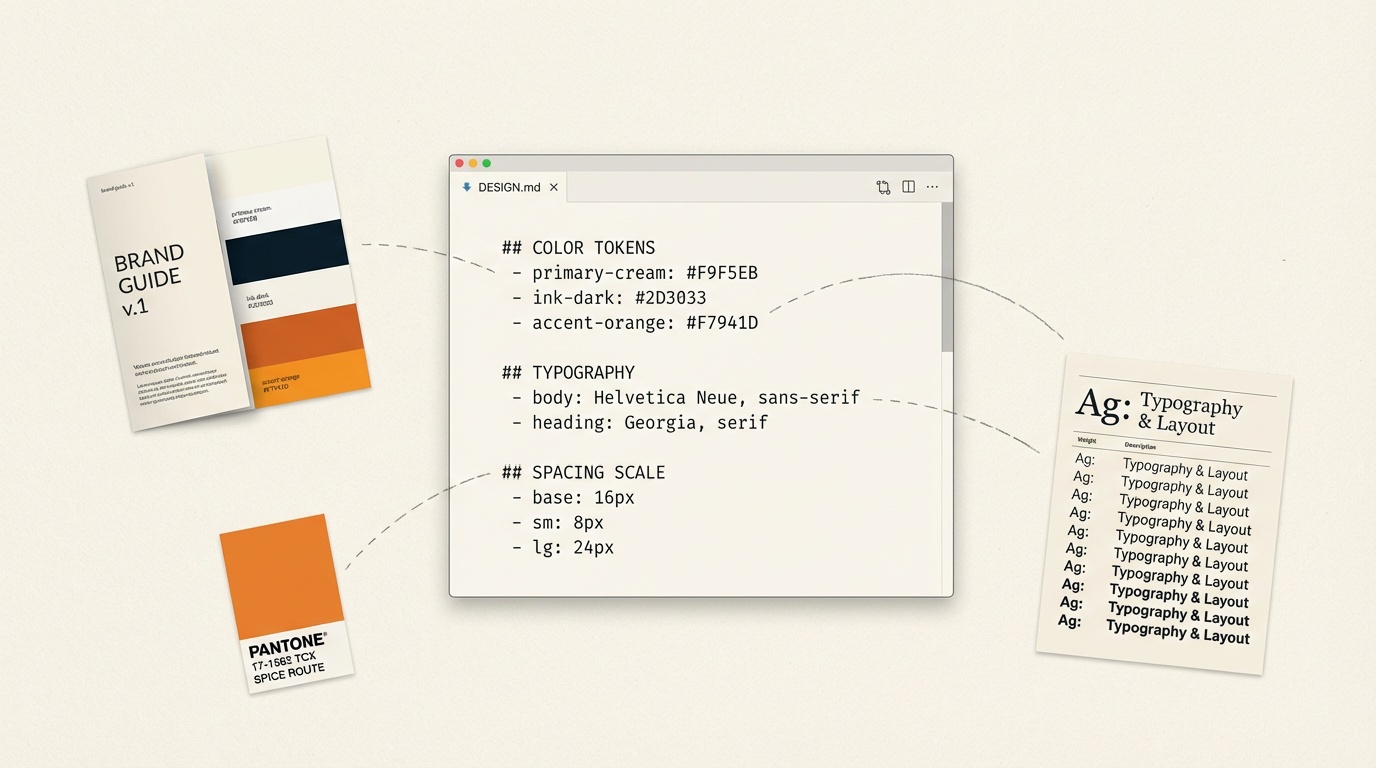
Google Labs open-sourced DESIGN.md on April 21 as part of their Stitch project. It's a markdown spec for encoding a design system: color, typography, spacing, components, and interactions. Apache 2.0 license, tool-agnostic, machine-parseable.
Think of it as a package.json for your brand. One file. Sits at the root of a project. Any tool that knows the spec can read it and produce on-brand output without you re-explaining the brand every time.
It's already supported by Claude Code, Cursor, and Copilot. The validator catches WCAG contrast failures before the file ever ships.
What It Looks Like in Practice
A minimal DESIGN.md is short. Frontmatter for the system metadata, sections for color tokens, type stack, spacing scale, and component primitives. The colors aren't names — they're hex with semantic roles. The type isn't fonts — it's a stack with weights, sizes, and intended use. The spacing is a scale, not a list of paddings.
The shape is familiar to anyone who's written a design-tokens JSON file. The difference is it's prose-readable, prose-writable, and the LLM ingesting it doesn't need a JSON parser. It just reads it.
Who Should Care
If you have a brand and you've been hand-feeding it to AI tools every time you generate something, this is the thing you've been waiting for. Write it once. Reference it from every tool that supports the spec.
If you don't have a brand yet, DESIGN.md is also the cheapest way to make one. Drafting a design system as a markdown file is a lower bar than designing it inside Figma. Constraints become explicit on the page. You stop pretending you have a system because you have a Figma library, and you start having one because you have it written down.
If you're a designer who works inside Figma all day, DESIGN.md is a gentle threat. The first-draft work that used to require your library access now compresses into "read the markdown, ship the comp." That's not bad news. It's a clarification of what designers do that AI still can't, which is the judgment about what should be in DESIGN.md in the first place.
The Pattern Worth Noticing
Every meaningful AI design tool released in 2026 so far has had the same problem: the model is fluent, but the brand context is stateless. You spend the first ten minutes of every session re-establishing what your brand is.
DESIGN.md is the first credible answer. It's not glamorous (it's literally a markdown file), but glamorous wasn't the point. The point is that brand context now travels with the prompt instead of getting re-typed into it.
Three other things shipped in the same 72-hour window — ChatGPT Images 2.0 (character continuity across 8 images from one reference), Figma Make Attachments (PRDs and SVGs ride inside the prompt), and a free Veo 3.1 tier on every Google account. Different tools, same direction: portability. Brand context, design context, and project context now travel with you instead of getting locked inside whichever tool you happened to start in.
What to Actually Do This Week
If you have a brand: write a DESIGN.md for it. Start with five colors, two fonts, and a spacing scale. Ship it to your repo (or a Notion page if you don't have a repo). Reference it the next time you generate a design with Claude Code, Cursor, or any tool that supports the spec.
If you don't have a brand: write a DESIGN.md anyway. The act of writing it will produce the brand. Five colors. Two fonts. A spacing scale. Done in under an hour.
The rest of the week's AI tool news is interesting. This is the one that changes a workflow.